Previous
Previous
Potential Compile Error
Next
Next
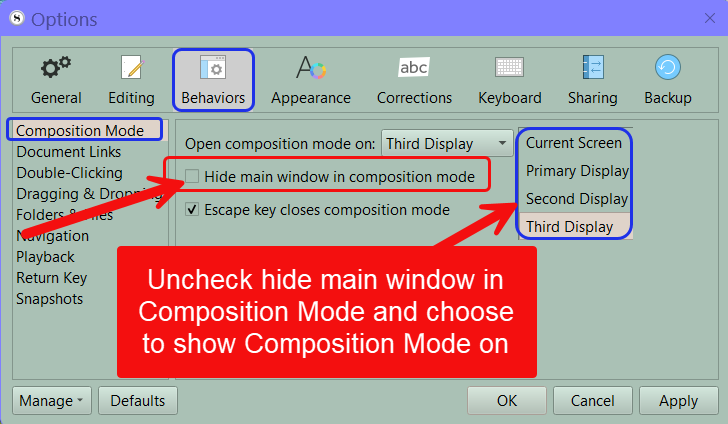
1. Use the Menu command File > Options Panel > Behaviors >Composition Mode. Now UNCLICK the Hide main window in composition mode option and choose to have Composition Mode appear on another screen besides the current one. (See below)